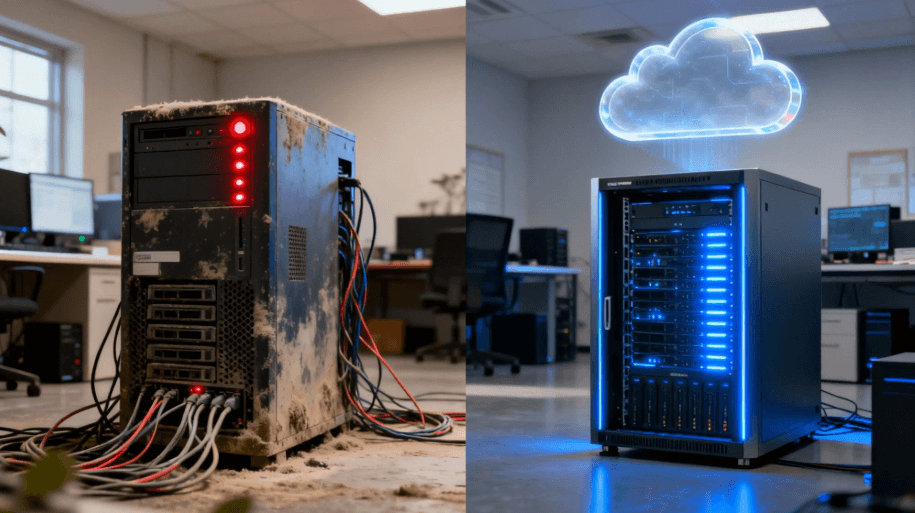
Network slowdowns and server crashes disrupt daily operations and cut directly into your profitability. When employees sit idle because they cannot access shared files or mission-critical applications, you are losing money by the minute. As a business owner, you inevitably face a tough choice when the hardware starts failing. Do you continue to patch an old, unreliable server, or do you invest in a potentially costly new one?
When your network grinds to a halt, the last thing you want is an IT vendor pushing a massive hardware purchase you don’t actually need. Finding a partner who prioritizes proactive diagnostics over aggressive sales pitches is vital, which is why working with experts in comprehensive technical management within the metro area can help you get an honest assessment of your server’s health. You need transparent, objective advice to protect your bottom line.
This article will break down the true costs of hardware failure, detail expected server lifespans, and outline the telltale warning signs of impending crashes. By understanding these key factors, you can make a pragmatic financial decision that keeps your business running smoothly without overspending on unnecessary technology.
Key Takeaways
- The standard lifespan of a small business server is 3 to 5 years, after which the risk of critical hardware failure rises sharply.
- Server downtime carries severe financial penalties, often costing thousands of dollars per minute and quickly outweighing the price of a hardware upgrade.
- Repairing makes sense for minor component failures on newer servers, but a total replacement is more cost-effective for obsolete or out-of-warranty machines.
- Finding a trustworthy IT partner requires looking for vendors who offer transparent diagnostics and practical solutions, rather than complex, jargon-heavy sales pitches.
The True Cost of a Failing Server (Why You Can’t Ignore It)
The true cost of an aging server is rarely the price tag of the hardware itself. The real financial danger lies in the compounding loss of productivity, missed opportunities, and stalled operations during unexpected downtime. When a server goes offline, your entire staff is essentially getting paid to wait around. Customer orders cannot be processed, emails bounce back, and critical data becomes completely inaccessible.
The financial risk spans across all industries and business sizes. According to Gartner, the average cost of downtime across all industries is $5,600 per minute.
Smaller organizations are becoming increasingly vulnerable to these operational losses as they rely more heavily on digital infrastructure. In 2024, the average cost of downtime for businesses reached $14,056 per minute, with a 65% increase for organizations with fewer than 10,000 employees. Even larger organizations are feeling the sting, as the average cost of downtime has inched as high as $9,000 per minute for large organizations, not including potential fines or penalties.
Beyond the immediate shock of a system crash, outdated servers carry massive hidden costs. Old hardware consumes significantly more electricity than modern energy-efficient models. Furthermore, aging servers often lack support from the original manufacturer. This leaves your network with severe cybersecurity vulnerabilities that invite hackers and data breaches, turning a simple hardware issue into a company-wide crisis.
Diagnosing the Problem: Warning Signs Your Server is Failing
Identifying a failing server early can save you from catastrophic data loss. The most common warning signs usually start as minor operational hiccups. You might notice unexplained network slowness during peak hours, frequent application crashes, and unexpected system reboots. These interruptions frustrate employees and severely bottleneck your daily workflow.
Physical Signs of Degradation
Physical warning signs require your immediate attention. Servers are mechanical devices, and unusual sounds are a clear indicator of hardware degradation. Loud, grinding fan noises mean the system is struggling to cool itself. Unusual clicking from the hard drives usually points to an imminent mechanical failure of the storage disks. If the server room feels unusually hot, the machine is generating excessive heat and is likely on the verge of a shutdown.
The Lifecycle Threat of Outdated Equipment
You also need to monitor the software side of your hardware. A critical red flag is when your server reaches End-of-Life (EOL) status. This means the manufacturer will no longer provide ongoing firmware updates or security patches. An EOL server will eventually lose compatibility with modern software applications, making it impossible to run the tools your business relies on every day.
Transitioning to Modern Infrastructure Management
When aging equipment puts your company’s proprietary data and daily continuity at risk, continuing to manage your infrastructure in-house can overextend your resources. Local organizations routinely count on managed IT services in Philadelphia to permanently resolve these persistent hardware vulnerabilities.
Partnering with an expert engineering team allows small and home businesses to deploy a tailored suite of comprehensive information technology and integrated data/voice solutions. This transition eliminates the stress of maintaining legacy on-premise components, replacing unexpected server collapses with optimized, high-availability virtual architecture built for steady commercial growth.
The Lifespan of a Small Business Server: What to Expect
Setting realistic expectations regarding server longevity helps you budget effectively for future technology needs. The standard lifecycle of a small business server is generally 3 to 5 years. During this window, the hardware operates optimally and can handle the daily demands of your network software.
A server might technically still power on after five years, but its reliability drops off a cliff. The likelihood of catastrophic hardware failure increases drastically with each passing month. Components degrade over time, and older processors simply cannot keep pace with the memory requirements of newer, updated software applications. Relying on a six-year-old server is a massive gamble with your company’s data.
Proactive upgrading is no longer a luxury; it is the industry standard for competitive businesses. Organizations increased spending on compute and storage hardware infrastructure by 97% year-over-year in the first half of 2024 to keep up with modern workload demands. Businesses are replacing aging hardware before it fails to ensure they maintain a fast, secure, and reliable network.
Repair vs. Replace: A Pragmatic Cost-Benefit Analysis
Deciding between a server repair and a total replacement comes down to a straightforward financial calculation. You need to weigh the immediate cost of parts against the long-term risk of downtime.
A quick repair is often the smartest move for newer machines. If your server is under three years old and still covered by the manufacturer’s warranty, fixing it is the obvious choice. Swapping out a failed hard drive in a redundant array or adding more RAM to boost performance are affordable repairs that extend the life of a healthy machine.
A total replacement becomes the only viable option when your hardware hits a specific threshold. The general rule of thumb is the 50% rule. If the estimated repair costs exceed 50% of the price of a brand-new server, a full replacement is the financially prudent choice. Similarly, if the hardware is past the five-year mark or officially classified as EOL, throwing money at replacement parts is a poor investment.
Use the comparison matrix below to quickly evaluate your current server situation.
| Signs to Repair | Signs to Replace |
|---|---|
| The server is less than 3 years old | The server is over 5 years old |
| Hardware is actively under warranty | Hardware has reached End-of-Life (EOL) status |
| Minor component failure (e.g., single bad drive) | Major component failure (e.g., dead motherboard) |
| System supports modern software updates | The system is incompatible with the new software requirements |
| Repair costs are under 25% of a new machine | Repair costs exceed 50% of a new machine |
| Isolated, rare performance issues | Chronic downtime and daily network slowness |
How to Avoid Being Oversold by IT Vendors
Navigating an IT upgrade can feel overwhelming, especially if you lack a deep technical background. Some aggressive IT vendors exploit this knowledge gap to force a quick sale. A major red flag is a salesperson who uses confusing technical jargon to avoid answering your direct pricing questions. Another common tactic is pushing complex, enterprise-level solutions on a small office that only needs a basic file and print server.
You need an IT partner who offers a clear roadmap for your digital future. Hardware recommendations should strictly align with your actual business goals, employee headcount, and budget constraints. A trustworthy vendor will take the time to explain exactly why they are recommending a specific model and how it will directly solve your current operational bottlenecks.
Look for providers who emphasize guaranteed response times and proactive IT services. A good partner will accurately diagnose your server problems and fix them fast without disrupting your workflow. They will ensure you only pay for what you truly need, building a relationship based on trust rather than maximizing their immediate profit margin.
Conclusion
Choosing between server repair and replacement ultimately comes down to balancing the high costs of downtime against the age and health of your current hardware. If your server is young and under warranty, a quick part replacement keeps you moving. If your machine is past the five-year mark and causing daily network headaches, a full upgrade is the most cost-effective path forward.
Making this important financial decision should never involve guesswork. You also should not have to battle aggressive sales pitches from IT vendors who care more about their quota than your network stability. You deserve straight answers and transparent pricing.
By partnering with reliable local IT experts who focus on proactive, honest diagnostics, business owners can put an end to technology headaches. A strategic hardware upgrade will future-proof your operations, secure your data, and ensure your team remains productive for years to come.